


Settings Overview
ConfigurationUpdated
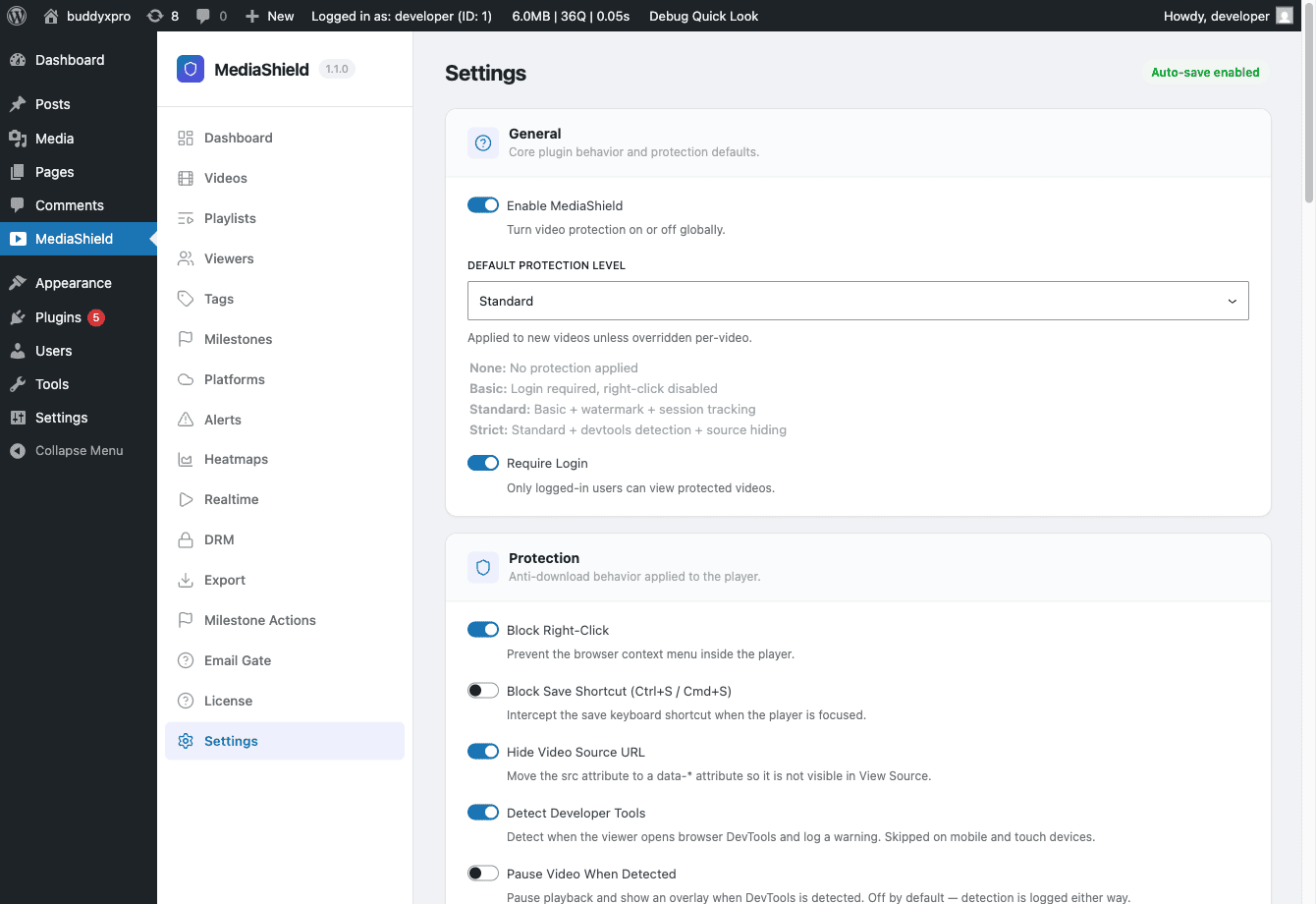 The MediaShield Settings page. All options auto-save on change - no Save button required.
All MediaShield settings live under MediaShield > Settings. Changes auto-save as you make them - there is no Save button to click.
The page is a stack of cards, in this order:
| Section | What it controls |
|---|---|
| General | Master switch, default protection level, login requirement |
| Protection | Right-click blocking, save-shortcut blocking, source hiding, developer-tools detection |
| Watermark | Overlay opacity, color, position swap interval, badge display |
| Allowed Domains | Which domains may embed your videos |
| Concurrent Streams | How many devices one account can watch on at once |
| Analytics Retention | How long watch history stays in the live table |
| Login & Access Messages | Overlay and denial wording |
| Player Controls | Speed control, keyboard shortcuts, resume, sticky player, end screen, brand color (unset follows the theme) |
| Video Ads | In-video ad break placement |
General#
Enable MediaShield - The master on/off switch, on by default. When off, no protection runs and no sessions are tracked site-wide. Videos still play: MediaShield falls back to plain markup rather than leaving an empty player box. Use this for maintenance, not as a permanent setting.
Default Protection Level - Baseline protection applied to any video that has no per-video value. Default: Standard.
- None - No protection, no session tracking.
- Basic - Login gate and right-click blocking. No watermark, no session tracking.
- Standard - Login gate, watermark, session tracking, and milestones.
- Strict - Standard, and forces devtools detection and source hiding on regardless of the toggles below.
Require Login - On by default. When on, viewers must be logged in before a protected video plays. When off, guests can watch and their sessions are recorded like anyone else's.
If you upgraded from an earlier version: before 1.3.0 turning this off did nothing, because the player gated on "is this viewer logged in" before the server was ever asked. Guests met a login overlay on a video the setting said was public. That is fixed - switching it off now genuinely opens the video to guests. Per-video role restrictions, the domain whitelist, and any custom access rules still apply.
Protection#
Covered in detail on the Protection Settings page.
Watermark#
The watermark is a text overlay drawn on top of the video while it plays. It shows the viewer's display name and IP address so you can trace a leaked recording back to the account that was watching.
Opacity - A slider from 0 to 1, default 0.5, where 1 is fully solid. Values around 0.3 to 0.5 are visible without being distracting. Note this is a 0-1 value, not a percentage.
Color - Watermark text color, default white. Use a color that is readable against your typical video content.
Position Swap Interval - How many seconds the watermark stays in one place before moving, default 30. The watermark cycles through four corners and the center, so a shorter interval covers more of the frame over time and makes cropping harder.
Show MediaShield Badge - Displays a "Protected by MediaShield" badge on the player. On by default. Toggle off for a cleaner look. Works in both free and Pro.
The free watermark shows display name and IP. Pro extends this to 7 configurable fields.
Allowed Domains#
Domains other than your own that are allowed to embed your videos. Leave it empty to allow embeds anywhere.
Enter the list comma separated (partner.com, courses.example.org). The field's help text says one per line; only commas are actually honoured, so a newline-separated list will not match anything.
When a list is set, requests from your own domain always pass, listed domains and their subdomains pass, and everything else is refused. Requests that arrive with no Referer header are refused by default - see Access Control for the filter that changes this.
Concurrent Streams#
Max Concurrent Streams - How many devices one account can watch on simultaneously. Default is 2. A viewer starting a stream beyond the limit gets "Too many active streams. Please close another video first."
Only logged-in accounts are counted. Guests are never limited, because there is no account to share.
Analytics Retention#
Keep watch history for (months) - Default 0, which means keep everything, and that is deliberate.
Earlier versions archived watch sessions older than 24 months automatically, into a table that no report reads. At month 25, dashboards silently lost their history with nothing in the UI to say the data had moved. Archiving is now opt-in: set a number of months only if you actually want old sessions moved out of your reports. Upgrading to 1.3.0 also moves previously archived sessions back into the live table so that history reappears.
Login & Access Messages#
Login Overlay Text - Shown when a visitor tries to watch but is not logged in. Default: "Please log in to watch this video".
Login Button Text - The label on the login button in the overlay. Default: "Log In".
Access Denied Text - Shown when a logged-in user does not hold the role a video requires, and when a request is refused by the domain whitelist. Default: "You do not have access to this video".
Player Controls#
Covered in detail on the Player Settings page.
Video Ads#
Site-wide placement for ad breaks inside the player: master switch (on), pre-roll (on), mid-roll count (0-10, default 3, spaced across the middle 10% to 90% of the video), require full view (off), skip delay in seconds (0-60, default 5), and break markers on the seek bar (on).
The breaks themselves come from WB Ad Manager video creatives. Without that plugin and at least one video creative, no breaks are produced and the ad engine never loads, so these settings have no effect on their own.
Uploads#
There is nothing to configure. Self-hosted videos are stored in wp-content/uploads/mediashield/, and upload size is governed by your server's own limit, which WordPress enforces before MediaShield sees the file. The separate maximum-upload-size option that older versions carried was removed in 1.3.0 because it never bounded anything.