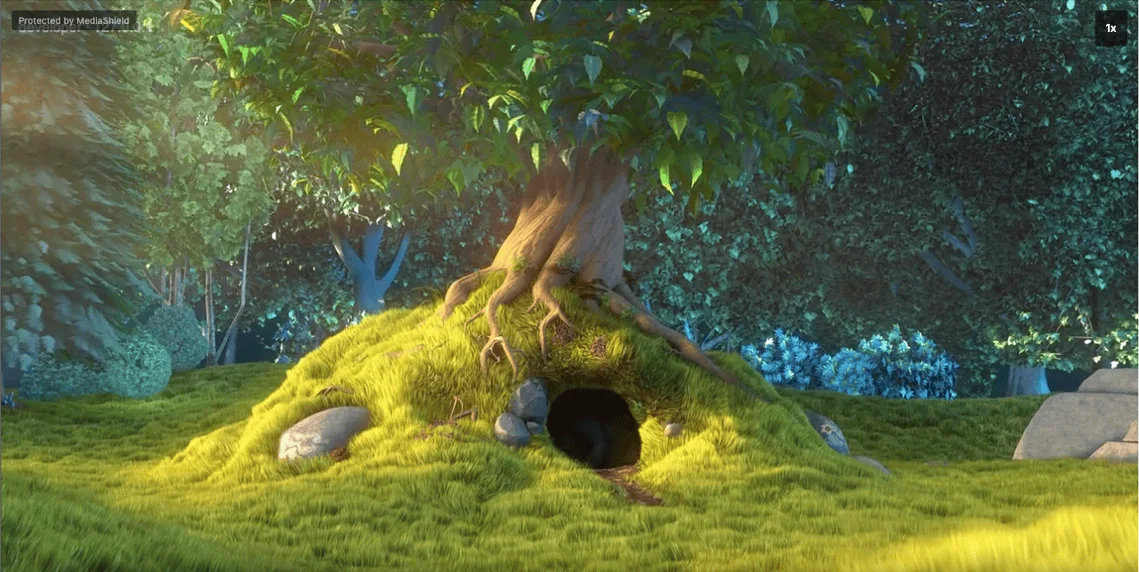
Paste a link and MediaShield works out the host. Or upload a file from the admin and
it plays from your own server. Either way the lesson plays in the same protected player,
placed with a block or the [mediashield] shortcode.
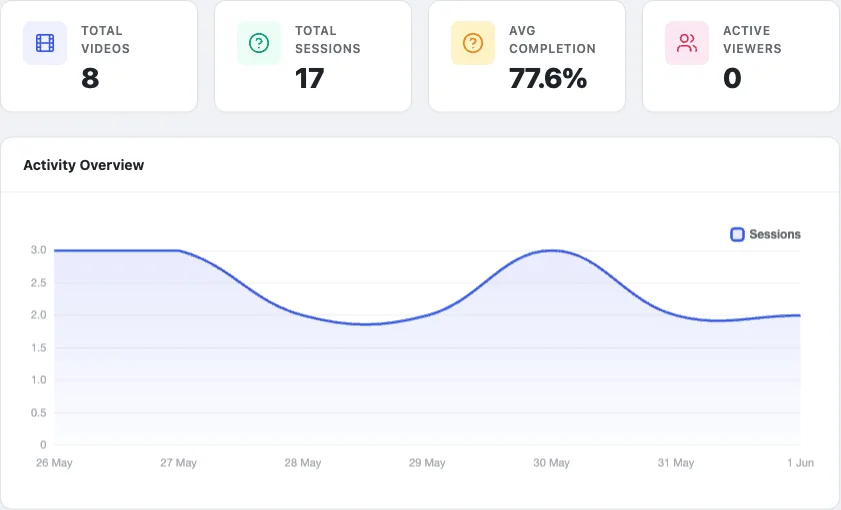
Views, sessions and completion for every video and every member, in the free plugin. Pro
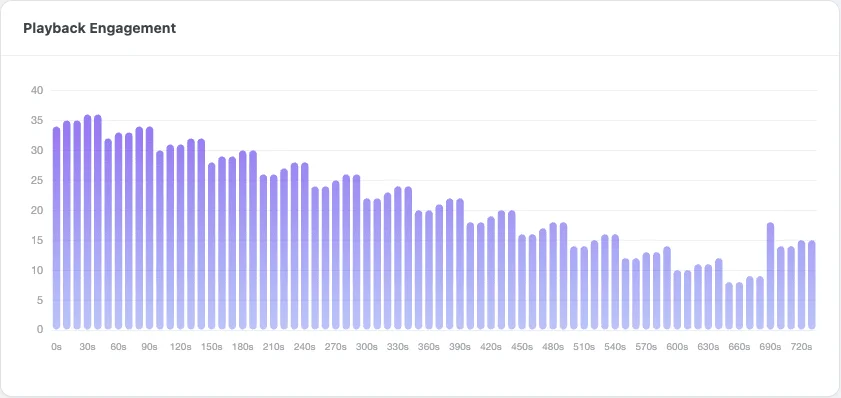
shows the second of a lesson where students give up.
MediaShield, Dashboard
Free Views, sessions and average completion, with a drill-down per video and per member.
MediaShield, Heatmap
Pro Heatmaps and retention curves, realtime viewers and a weekly summary email.
Lessons that complete themselves.
With Pro, link a video to a LearnDash, Tutor LMS or LifterLMS lesson.
Only enrolled students can watch it, and the lesson is marked complete when they reach the
percentage you choose. Learnomy lessons play MediaShield video in the free plugin.
Will MediaShield stop people downloading my videos?
No plugin that plays video in a browser can promise that, and MediaShield does not. It deters casual copying (right-click and download shortcuts are blocked) and the moving watermark identifies whoever recorded a leak. It is not DRM, and a determined person can still keep a copy.
Do I have to move my videos to a new host?
No. MediaShield plays from YouTube, Vimeo, Wistia, Bunny Stream or your own server. You keep your host and add the login gate, the watermark and the analytics in front of it.
Does it work with LearnDash, Tutor LMS or LifterLMS?
Yes, with Pro. Link a video to a lesson and only enrolled students can watch it, and the lesson is marked complete when they reach the percentage you set. Learnomy lessons work in the free plugin.
Can it hide the video URL?
For video on your own server, yes: it streams through a permission-checked address with a short-lived token. For YouTube, Vimeo, Wistia and Bunny it cannot, because their embeds carry their own video IDs.
Does the player have captions?
No. There are no captions or subtitles, no quality selector, no picture-in-picture and no chapters. If captions are a requirement for your course, that rules MediaShield out today.
Where do I get it?
Both the free plugin and Pro download from wbcomdesigns.com. MediaShield is not on the WordPress plugin directory.
Protect one lesson and watch it with your name on it.
The free plugin has no licence key, no site limit and nothing that expires.
WBComDesigns is amazing. The WP plugins and themes are of top notch quality with lots of features and updated very frequently. Supports are very responsive and helpful. I use Reign with TutorLMS, and the experience is surprisingly smooth. The recently launched BuddyNext Pro and MediaShield Pro are…
Hoang Phan · VN ·
I am really glad to have known BuddyX…
I am really glad to have known BuddyX Pro Team led by Mr.Varun Dubey. I had a challenge of mobile responsiveness and after I brought the issue to their attention, they were able to address it promptly. They also made a follow-up on my experience after resolving the issue. I highly recommend WBcom…
Moses Gitonga Ntiritu · KE ·
Its response rate and working very well…
Its response rate and working very well I appreciate and am very happy to work with this webmaster.
Ali Raza · PK ·
Wonderful support!
I've been developing a relatively complex website for my business, and my development experience is pretty limited. As expected, I ran into a number of difficulties, and ach time, the Wbcom team helped me resolve my issues quickly and patiently. I can't recommend their products and support enough!
Paris · NZ ·
Prompt and Professional Support
I recently had a fantastic experience with the Wbcom Designs support team. They were incredibly prompt, warm, patient, and friendly as they helped me resolve an issue with my website. I truly appreciate the complexity of troubleshooting website-related issues, as each one is unique, and users often…
Boris Petrov · TH ·
Great support
Great support; the issue was resolved perfectly well.
Fast Incorporated · NG ·
Fantastic 6 star support
Fantastic 6 star support. I wanted to setup a membersite and tried many solutions. I contacted Wbcom for BuddyX and tried the theme with Buddypress. I am not a webdesigner or a coder, but had a requirement that was not standaard. I contacted WBcom and Pallavi helped me from start to finish with…
Hubert · IT ·
Great way of support
Great way of support! Thanks a lot! Direct responding, open for questions and very fast to the right solution!
Ron Henkes, training en begeleiding · NL ·
Fast Respond & Troubleshooting With…
Fast Respond & Troubleshooting With technical insight